TripIt and Wanderlog solve two different problems. TripIt turns confirmation emails for flights, hotels, and car rentals into one auto-built itinerary after you have already booked. Wanderlog is a map-based planner for building a trip – deciding where to go, what to see, and how to get there – before or while you book. If you want a single home for tickets you already hold, TripIt is the better fit. If you are still mapping out the trip itself, Wanderlog does that job better. Below is the full breakdown, current 2026 pricing for both apps’ paid tiers, and a decision guide for which one (or both) you actually need.

| Category | Wanderlog | TripIt |
|---|---|---|
| Core job | Plan a trip before you book: map, day-by-day itinerary, place discovery | Organize a trip after you book: auto-imported itinerary from confirmation emails |
| Free plan | Map-based itinerary builder, manual budget tracking, real-time collaborative editing | Auto-import via forwarded email, calendar sync, sharing, maps, document upload |
| Paid tier price | $39.99/year or $17/month (Wanderlog Pro) | $49/year (TripIt Pro) |
| Paid tier adds | Offline access, AI trip assistant, route optimization, flight and car deal alerts, Google Maps export, unlimited attachments, automatic Gmail import | Real-time flight alerts, fare-drop alerts, seat tracker, alternate-flight search, airport navigation, reward-program tracking, higher document limits |
| Group collaboration | Yes – shared, simultaneous editing | Yes – share a finished itinerary with contacts |
| Getting your bookings in | Manual entry, or import from a booking link | Forward confirmations to [email protected] or connect Gmail for automatic import |
Wanderlog vs TripIt: What’s the Real Difference?
The split above is the one that actually matters, not “which app has more features.” Wanderlog is built around a map: you add places, activities, and stops, then it lays out an optimized day-by-day route you can adjust by dragging items around. TripIt is built around your inbox: you forward (or auto-sync) booking confirmations, and it assembles a single, chronological master itinerary with no manual entry required. Some travelers use only one app; frequent travelers who plan little but book a lot often run both – Wanderlog for the occasional trip they build from scratch, TripIt for tracking every flight and hotel a travel desk books for them.
Wanderlog’s Key Features
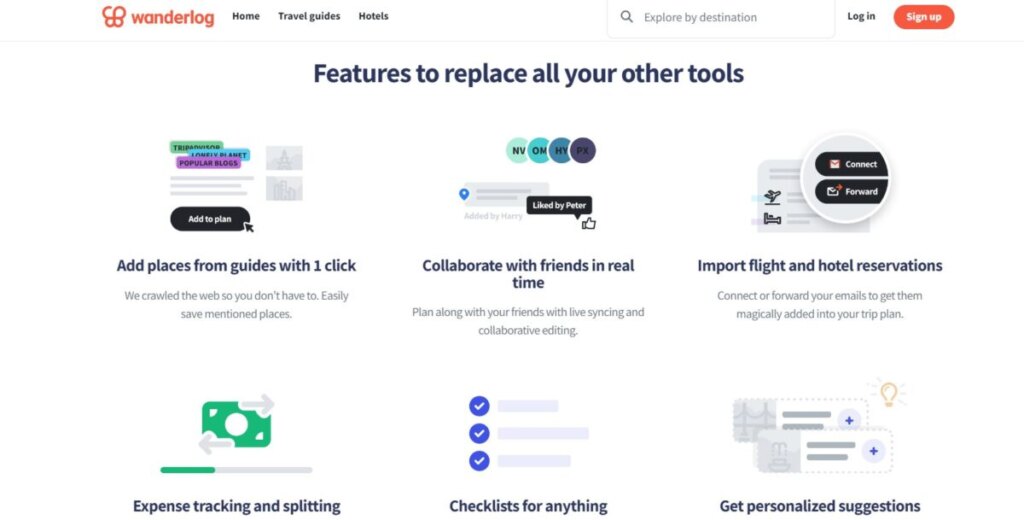
Wanderlog’s core interface is a drag-and-drop day planner. You add stops – restaurants, attractions, hotels – and rearrange them on a timeline or an interactive map without re-entering anything. On a road trip with several stops, you can reorder the whole route as new ideas come up and Wanderlog re-draws the map to match.
Route viewing on a map is free; Wanderlog Pro adds automatic route optimization for a multi-stop day, so you are not backtracking across a city to hit the major landmarks you planned around.
Expense tracking on Wanderlog is manual: you log costs by category (accommodation, dining, attractions) as you spend, and the app totals them against a trip budget you set. It is not automatic bank-account syncing – it is a running tally you keep updated yourself, which gives more control but means more data entry than an auto-syncing budget app.
See related: Budget-Friendly Solo Travel and Best Travel Apps.
TripIt’s Key Features

TripIt’s signature feature is automatic itinerary building. Forward a confirmation email – flight, hotel, car rental, restaurant reservation, or event ticket – to [email protected], or connect your Gmail so TripIt scans for confirmations automatically, and it pulls out the traveler name, confirmation number, dates, times, and route on its own. No manual entry. If new dates overlap an existing trip, TripIt slots the new booking into that trip rather than creating a duplicate.
The free tier already includes real-time notifications for gate changes and basic flight status. TripIt Pro ($49/year) adds fare-drop alerts (it flags when your booked fare drops in price), a seat tracker that pings you if a better seat opens up, alternate-flight search when your flight is delayed or canceled, airport navigation, and reward-program tracking across airlines and hotel chains.
Traveling with a group? TripIt lets you share a finished itinerary with specific contacts so everyone sees the same flight times and confirmation details without you forwarding each update manually.
See related: Last-Minute Car Rentals and Flight Changes Survival Guide and The Ultimate Guide to Traveling on a Budget in the US.
Wanderlog vs TripIt Pricing: Free vs Pro
Both apps work fully on a free tier – neither one requires payment to be useful. Wanderlog’s free plan covers the map-based itinerary builder, manual budget tracking, and real-time collaborative editing with your travel group. TripIt’s free tier covers the automatic email-to-itinerary import, calendar sync, itinerary sharing, maps, and document uploads.
Wanderlog Pro costs $39.99/year (or $17/month if you would rather not commit annually) and adds offline access to your itinerary, a Pro AI trip-planning assistant, automatic route optimization, flight and car-rental deal alerts, export to Google Maps, unlimited attachments, and automatic Gmail import of bookings. A 7-day free trial is available, but it requires payment details up front and renews automatically unless you cancel first.
TripIt Pro costs $49/year and adds real-time flight alerts, fare-drop monitoring, a seat tracker, alternate-flight search during disruptions, airport navigation, and reward-program tracking, on top of a higher document-storage limit than the free tier.
Neither Pro tier is required for the core job each app does well. Pay for Wanderlog Pro if you travel offline often (rural road trips, international data-off trips) or want automated route optimization. Pay for TripIt Pro if you fly often enough that a dropped fare, a canceled flight, or a surprise seat upgrade is worth $49/year to catch automatically.
Notifications, Reservations, Mapping, and Scheduling
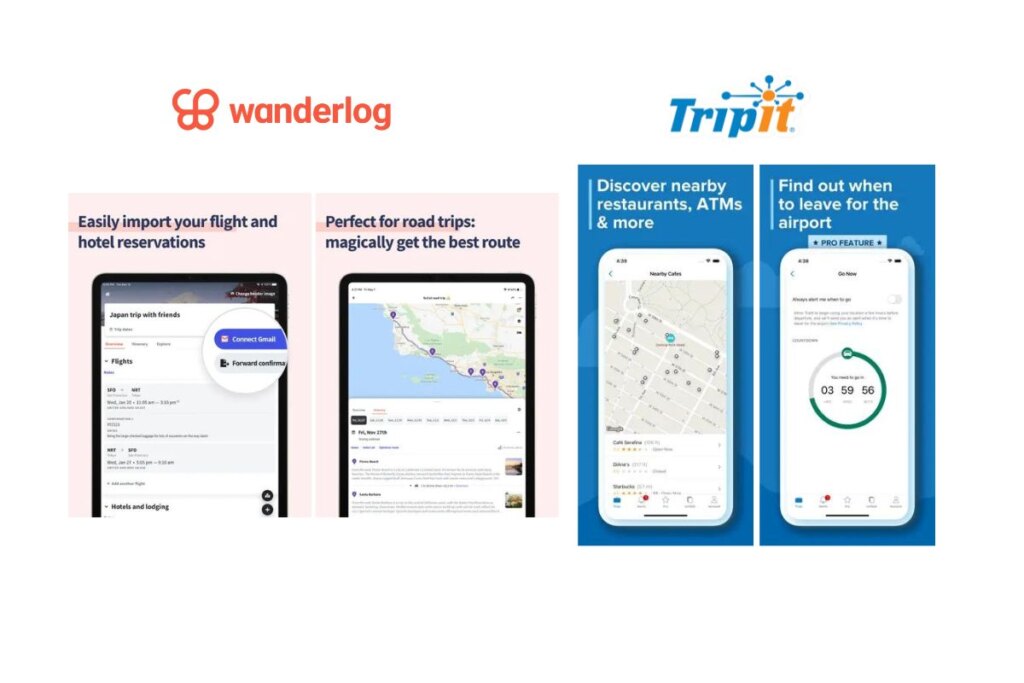
TripIt’s notification system focuses on things that already happened to a booking you hold: gate changes, delays, cancellations. Wanderlog’s notifications instead surface personalized place recommendations based on where you have already saved stops – useful in a new city, less useful if what you want is a flight-status alert.
Reservations work differently too. TripIt’s automatic compilation from forwarded email is faster for a busy traveler juggling several trips at once. Wanderlog’s reservation input is manual, which takes longer but gives you full control over what shows up on the itinerary and in what order.
For mapping and scheduling specifically, Wanderlog is the stronger tool: it visualizes the entire trip on a map so you can plan sightseeing routes and manage travel time between stops. TripIt does not build a route map – it focuses on precise scheduling and status alerts for bookings you already made.
User Interface and Experience
Wanderlog’s interface centers on a clean, minimal map-and-list view built for casual planning – drag a pin, reorder a day, done. TripIt’s interface centers on a chronological list view built for scanning: flight number, gate, confirmation code, in that order, with less visual design and more information density. Neither is objectively better; a leisure traveler building an itinerary from scratch will likely prefer Wanderlog’s map-first layout, while someone tracking several already-booked business trips will likely prefer TripIt’s scannable list.
Platform Availability
Both apps ship native iOS and Android apps plus a web version you can use from a desktop browser, so neither locks you into one device. The practical difference is offline behavior: Wanderlog’s free plan requires a data connection to view your itinerary, while offline access is a Wanderlog Pro feature; TripIt’s itinerary, once imported, is viewable offline on both the free and Pro tiers since it is stored locally after import.
Which One Should You Choose?
- Building a multi-stop road trip or a first-time-planning-from-scratch itinerary: choose Wanderlog.
- Already holding a stack of flight, hotel, and rental confirmations you just want organized in one place: choose TripIt.
- Flying often enough that a dropped fare or delayed flight actually costs you money or time: TripIt Pro’s $49/year is the one worth paying for.
- Planning international or rural trips where you will lose data access: Wanderlog Pro’s offline mode ($39.99/year) is the one worth paying for.
- Traveling for both leisure and frequent business trips: many travelers run both apps side by side rather than picking one.
Known Limitations of Each App
Neither app is flawless, and knowing the rough edges up front avoids a bad surprise mid-trip. TripIt’s email parsing occasionally misreads a booking – reviewers have reported a forwarded confirmation landing with the wrong date, or a multi-day tour showing up as a single one-hour event – so it is worth checking each auto-imported item against the original confirmation rather than trusting it blind. TripIt’s parser also only fully supports English (US and UK), French, German, Japanese, and Spanish, so a confirmation email in another language can confuse it. Sharing and syncing between travelers on the same trip has drawn complaints too: an update one person makes does not always appear for others right away.
Wanderlog’s free tier caps its AI trip-assistant replies at five messages per trip, which active planners hit fast during a single planning session – after that, continuing requires the Pro subscription. Route optimization for a multi-stop day is Pro-only as well, so free-tier users still reorder stops by hand. And because the AI assistant draws on general web knowledge rather than live listings, it can occasionally suggest a place that has closed, moved, or does not fit the itinerary as well as it sounds – treat its picks as a starting point to verify, not a confirmed booking.
FAQ
Can you use Wanderlog and TripIt together?
Yes. There is no conflict between the two – Wanderlog plans the trip, and TripIt separately tracks the confirmations for whatever you booked. Some travelers plan in Wanderlog, then still forward booking confirmations to [email protected] for TripIt’s flight-status alerts.
Is TripIt still useful without TripIt Pro?
Yes. The free tier already covers automatic itinerary building, calendar sync, sharing, offline access, and basic gate/delay notifications. TripIt Pro’s $49/year mainly buys proactive alerts – fare drops, seat upgrades, alternate flights during a disruption – rather than core organization.
Does Wanderlog work without paying for Pro?
Yes. The free plan covers the map-based itinerary builder, manual budget tracking, and real-time collaborative editing. Wanderlog Pro’s $39.99/year mainly buys offline access, automatic route optimization, and the AI trip assistant.
Which app is better for a road trip with multiple stops?
Wanderlog, because it visualizes the whole route on a map and lets you reorder stops by dragging them, which is exactly the planning problem a multi-stop road trip creates. TripIt has no route-mapping feature – it is built to track bookings, not plan a route between them.
Last updated 2026-07-23: replaced the vague, unsourced 2024 draft of this comparison with current 2026 pricing for both apps’ paid tiers (previously missing entirely), the specific [email protected] forwarding workflow, a full free-vs-Pro feature breakdown, and a decision-based FAQ. Removed an unsourced “Wanderlog is faster / TripIt is more stable” performance claim that could not be verified, and removed a broken, oversized embedded image that was bloating the page.
Sources
- TripIt Pro pricing (official)
- TripIt: adding travel plans via forwarded email (official help center)
- Going.com: TripIt Review 2026
- Wandrly.app: Wanderlog Review 2026

Leave a Reply